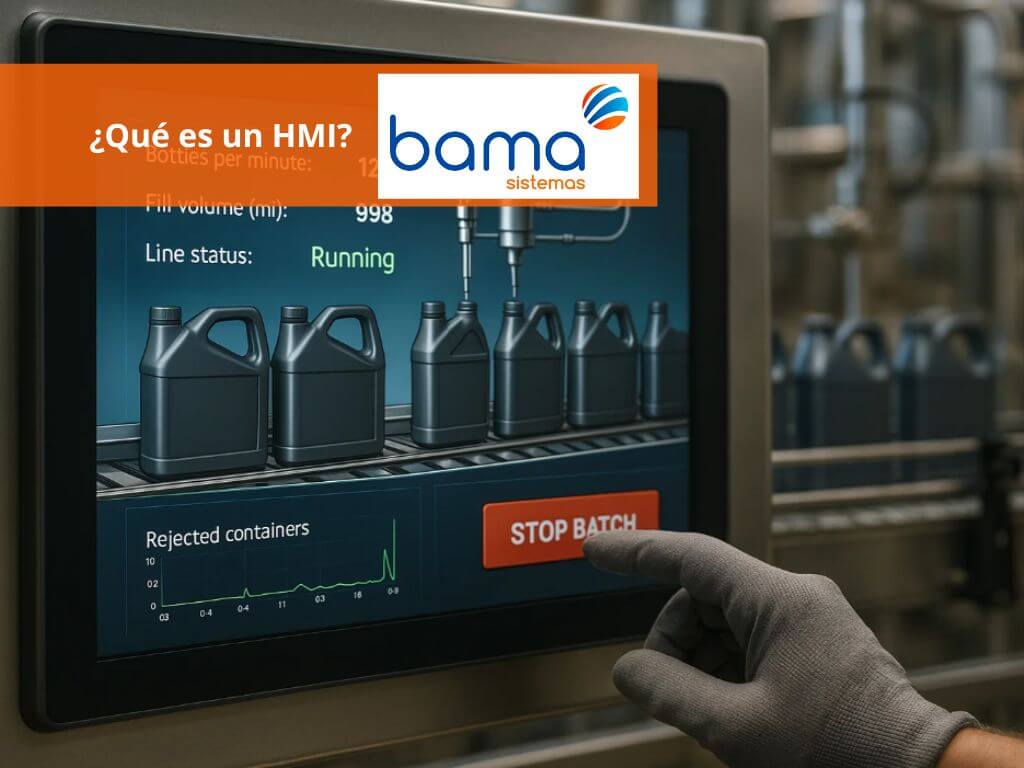
Imagine being able to control an entire industrial plant with just a few taps on a screen. That is how powerful the function of an HMI (Human-Machine Interface) is—a key tool that connects the operator to the heart of automation.
If you are evaluating how to modernize your processes or looking to understand how to supervise and optimize your production more efficiently, this article offers a clear and practical guide. Here you will discover what an HMI is, what it is for, what types exist, how it communicates with PLCs, and how to implement it in your industrial plant.
What is an HMI?
HMI stands for Human-Machine Interface. An HMI is the interactive bridge between operators and the control system of an industrial plant. Its function is not limited to just displaying data: it transforms technical information into a clear and useful visual experience for those supervising plant processes.
It allows technicians to visualize what is happening inside the machinery in real time, interpret critical parameters such as temperature or pressure, and take immediate action with a simple touch or click.
What is the role of the HMI in the industrial plant?
The HMI functions as a human-machine interface that allows for plant control through an interactive graphic platform. This interface collects real-time data from sensors and PLCs, displaying it through graphs, gauges, visual alarms, and indicators. Thanks to this, decision-making is facilitated, errors are reduced, and operational efficiency is optimized.
Benefits of HMIs for industrial plant control
HMIs also have a direct impact on plant efficiency and safety. The most notable benefits are presented below:
- Real-time monitoring
- Reduction of human error
- Improved response time to critical events
- Increased productivity and operational efficiency
What is an HMI for and in what environments is it used?
An HMI is much more than a screen with graphics: it is the nerve center where the operator monitors the pulse of production. From there, critical variables are controlled, alarms are managed, and parameters are adjusted in a matter of seconds. Its utility is as versatile as it is essential, and its presence extends across all industrial sectors where efficiency and precision are a priority.
Real-time process supervision and control
HMIs allow for the visualization of key variables (such as liquid level, electrical consumption, or valve status) and direct action from the interface, starting or stopping processes.
Integration with machines, production lines, and control systems
The HMI functions as the digital command center of the plant. Through it, sensors, actuators, and PLCs are integrated, collecting data that is presented in a clear and useful way for the operator. In complex industrial environments (such as automated assembly lines or continuous processes), the HMI allows for the management of multiple pieces of equipment from a single point, facilitating coordination and avoiding production bottlenecks.
Use cases in Spain and Europe
Below are some sectors where this technology is essential:
- Automotive: HMIs are used to manage robots, assembly lines, and monitor processes in real time in factories such as SEAT or Renault.
- Food and Beverage: Operators use HMIs to control ovens, fillers, and dispensers, ensuring quality and efficiency in food and beverage production.
- Energy and Water: In treatment plants and electrical grids, HMIs allow for precise control of flows, pressures, and chemical parameters to ensure continuous and safe service.
- Pharmaceutical: This industry uses HMIs to control critical processes in cleanrooms, ensuring traceability and regulatory compliance.
- Mining and Metallurgy: HMIs supervise extraction, smelting, and material transport processes, improving safety and operational efficiency.
- Chemical Industry: HMIs are integrated to control reactions, temperatures, and mixtures in environments with high safety and precision requirements.
HMI typologies and crucial selection criteria for your industrial plant
The choice of Human-Machine Interface (HMI) is vital for operability and efficiency in any production environment.
Main Types of HMI (Human-Machine Interfaces)
| HMI Typology | Detailed description and primary use | Key features |
| Local operator HMI (Panel terminals) | These are touch panels (resistive or capacitive) or push buttons installed at the machine level or integrated into the control cabinet. Their main function is quick and direct interaction for the control of a specific local machine or process (start/stop, parameter adjustment, immediate alarm visualization). | Industrial robustness (IP65, NEMA 4X), compact sizes (from 4″ to 15″), focus on in-situ control, direct connectivity with the local PLC. |
| Central supervision HMI (SCADA Stations) | Commonly used in control rooms or operations centers for a high-level view. These HMI systems are usually part of a SCADA (Supervisory Control and Data Acquisition) architecture, visualizing the complete status of the entire plant, multiple production lines, or large installations (e.g., energy, water). | Higher processing capacity, historical data logging functionality (historians), advanced alarm management, complex and high-resolution graphics. |
| Software or Web/Mobile HMI (Remote Clients) | Graphic interfaces that run on Industrial PCs or servers, allowing access through web browsers or dedicated applications. It facilitates remote visualization and control from multiple workstations, industrial tablets, or mobile devices, providing flexibility to maintenance and management personnel. | Multi-platform and multi-client access, ideal for the Industrial Internet of Things (IIoT), high scalability, access security through roles and permissions. |
Key criteria for selecting an HMI
To ensure a proper investment and optimal functionality, the following factors must be considered:
| Selection criterion | Detail for the industrial environment |
| Scalability and performance | The ability of the hardware and software to grow with the needs of the plant. It includes screen size (resolution and ergonomics), processing power (CPU/RAM), and the ease of adding future tags, screens, or users. |
| Compatibility with PLC and protocols | It is essential to ensure native connectivity with Programmable Logic Controllers (PLC) and other existing equipment (drives, instrumentation), prioritizing industry-standard protocols such as Profinet, Ethernet/IP, Modbus TCP/IP, or OPC UA. |
| Environment type and certifications | Equipment must be chosen with the appropriate IP/NEMA protection against the work environment: dust, humidity, water splashes (IP65/IP66), extreme temperatures, vibration resistance, or the need for specific certifications for hazardous areas (ATEX/IECEx). |
| Connectivity level and cybersecurity | Determine if only a local connection (fieldbus), secure remote access (VPN, Web), integration with the Cloud for data analytics, or support for advanced technologies like MQTT is required. The system must have robust cybersecurity measures. |
Effective implementation of an HMI system in a plant
Implementing a new Human-Machine Interface (HMI) system is not simply installing a screen, but integrating a critical tool that directly affects productivity and safety. Below, we detail the key phases for a successful implementation in your industrial environment.
1. Planning phase and definition of requirements (URS)
Before selecting any hardware or software, it is essential to establish the exact scope of the project. This phase is consolidated in the User Requirement Specification (URS).
- Definition of operational scope:
- Variables and tags: Determine the exact number of PLC variables that must be monitored, recorded, and controlled.
- Operator hierarchy: Identify the number of users, their access levels (operator, supervisor, maintenance), and the functions each one needs to execute.
- Process type: Is it a control at the machine level (local HMI) or general supervision of the line (central SCADA)? This defines the complexity and architecture of the system.
- Alarm management: Define the alarm strategy according to ISA standards (such as ISA 18.2) to ensure that notifications are clear, prioritized, and actionable by the operator.
2. Strategic selection: Hardware, software, and architecture
Choosing the right platform is vital for the longevity of the system.
- Hardware selection: Choose between compact panels (for local use), industrial PCs (for SCADA tasks and intensive logging), or Thin Clients (for distributed architectures), taking into account the robustness and IP rating required for the environment.
- Compatibility and protocols: The HMI must ensure native and robust connectivity with the Programmable Logic Controllers (PLC) already installed. Prioritize standard industrial protocols such as OPC UA, Profinet, or Ethernet/IP to ensure smooth and future-proof integration.
- Leading brands in the European market:
- Hardware and Platforms: Siemens (SIMATIC HMI) and Schneider Electric (Magelis) are leaders in panels and integrated solutions.
- SCADA and Visualization Software: AVEVA (InTouch/System Platform), COPA-DATA (zenon), and Rockwell Automation (FactoryTalk View) are benchmarks in high-performance supervision solutions.
3. Development, integration, and commissioning
This is the engineering phase, where the design becomes an operational reality.
- Screen Development (Mimics): Design the interfaces following the principles of High-Performance HMI. Screens should be intuitive, reduce the operator’s cognitive load, and prioritize critical information through the proper use of color and symbology.
- Protocol integration: Establish and configure communication between the HMI, the PLC, and any other system (databases, ERP) to guarantee the flow of data in real time.
- Exhaustive testing (FAT/SAT):
- Factory Acceptance Testing (FAT): Verify 100% of the system’s functionality before shipping to the plant.
- Site Acceptance Testing (SAT): Confirm that the system operates correctly in the real plant environment, including failure simulation tests, alarms, and critical commands.
4. Training, maintenance, and cybersecurity
A well-implemented system must be sustainable and secure in the long term.
- Personnel training: Offer specific training to operators (daily use and alarm response) and to maintenance/engineering personnel (advanced diagnostics and recipe management). User adoption is key to success.
- Preventive maintenance: Establish a plan for periodic review of licenses, hardware status, and data storage capacity.
- Updates and cybersecurity: Keep the HMI software updated (security patches) to protect it against vulnerabilities. Implement a backup policy for the project and runtime to ensure rapid recovery from any failure.
Your roadmap for choosing and deploying an HMI
The HMI is, in essence, the voice and eyes of your industrial process; a tool that transcends simple visualization to become the axis of operational efficiency.
Mastering the types of HMI in depth and applying a rigorous implementation methodology is not just a good practice, but a strategic necessity. By having clarity on the architecture (local vs. SCADA), protocols (OPC UA, Ethernet/IP), and trends such as IIoT connectivity, you are one step ahead, ensuring:
- Higher Productivity: By providing your operators with the right information at the right time.
- Sustained Safety: Through clear alarm management and robust hardware.
- Industry 4.0 Readiness: With scalable and cybersecure systems.
Do not improvise. Always keep this roadmap at hand. A well-planned HMI project is the key to maximizing the return on investment in automation and ensuring total control of your plant.
Ready to improve the supervision and control of your plant?
Low-Medium